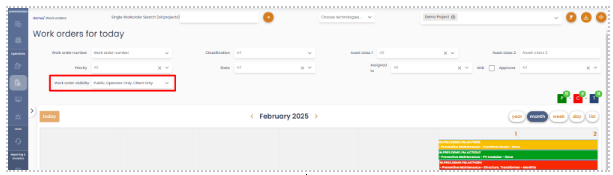
Work Order Visibility A new filter has been implemented in the WO search on the main WO page.
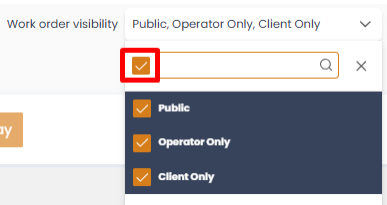
If no filterisapplied, the default viewwilldisplayallWOs. Thismeansthatallthreevalidoptions in the selector will be selected.
What does each option imply?
Public
WOs that are public
Operator Only
WOs that are only for Solarig
Client Only
WOs that are only for the client
How is the WO set according to these filters?
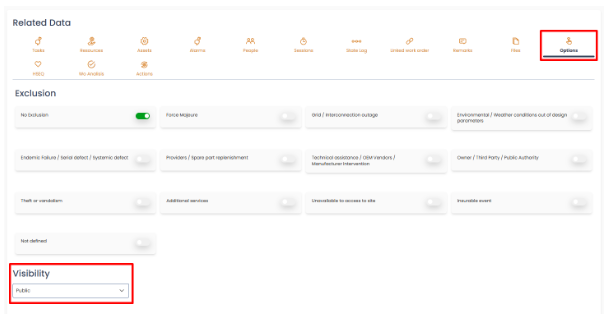
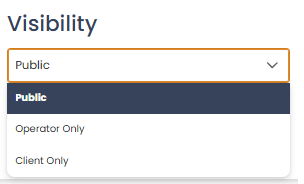
The visibility of the WOs is set within the WO itself. To do this, we will access the WO and the options submenu. In this menu, we have the option to select the visibility. (As is shown above)
At thispointwe can alsoseethethreeoptionswementionbefore:
The visibility assignment directly affects the static reports.
If the visibility is set to ‘Public’, the WO will appear in the report.
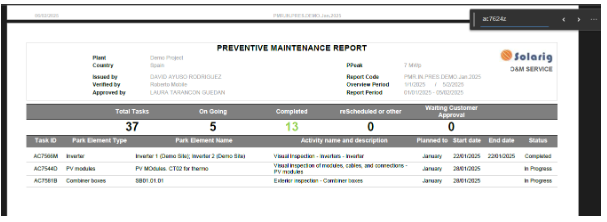
If the visibility is set to ‘Operator Only’, it will not appear in the report.
If the visibility is set to ‘Client Only’, it will not appear in the report.
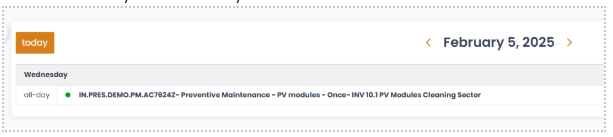
Example:
This WO has visibility set to “Client Only”
When you download the static report (ReportPeriod_PM)